Make your whole library readable. Drop a folder.
Your assistant cannot look at the files on your Mac. This app makes them readable: videos, audio and images go in, you say what each one is, and each file gets its .smartmedia sidecar next to it. Point Claude Code, a script or a search at the folder and it can finally answer questions about what is in there.
Every drop is a question
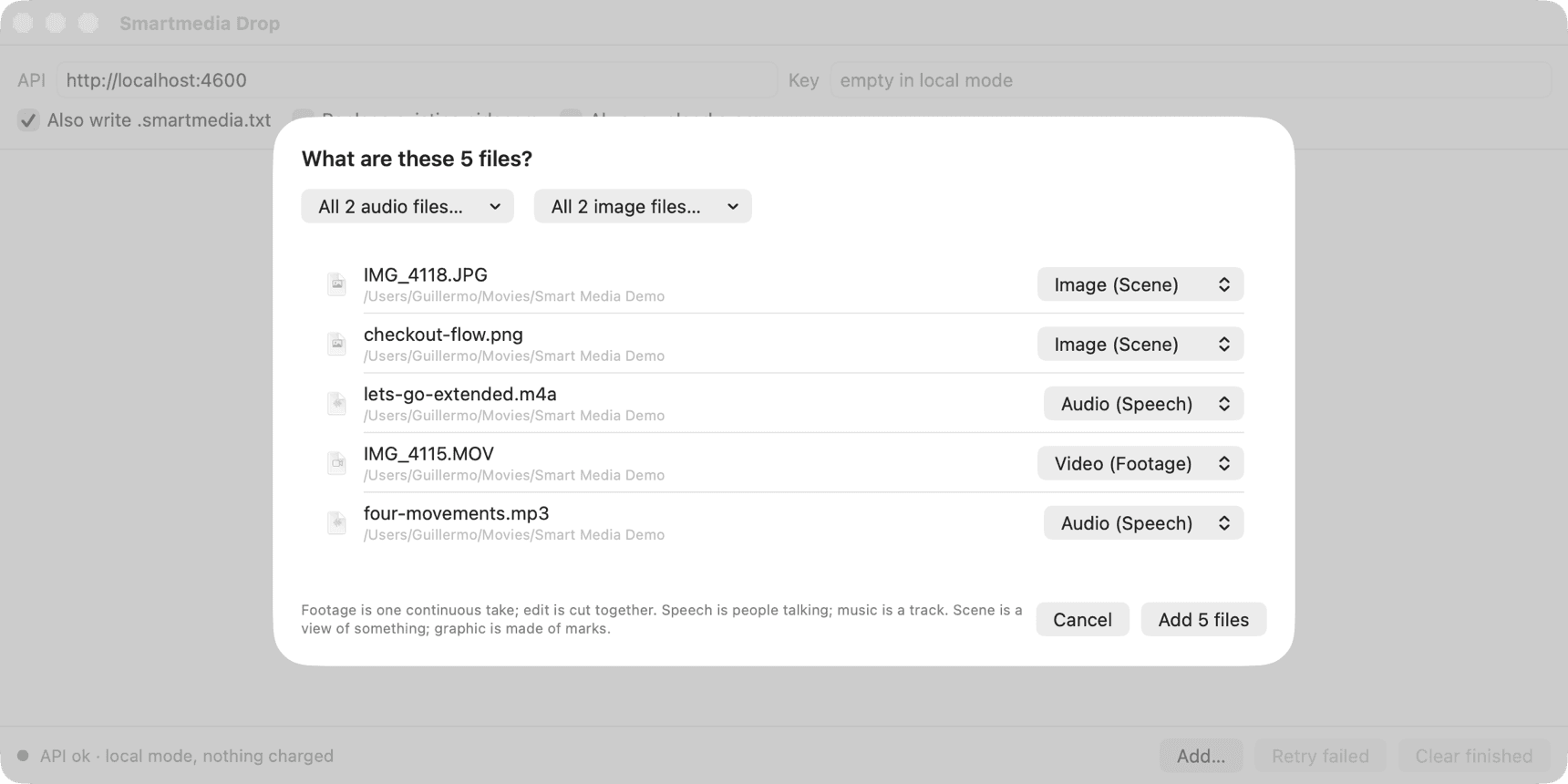
What is this? A table of the dropped files with a dropdown per file, the likely type preselected, and a menu per medium to set them all at once. The API writes the document of that type; it never guesses from the content.
Then it works through them
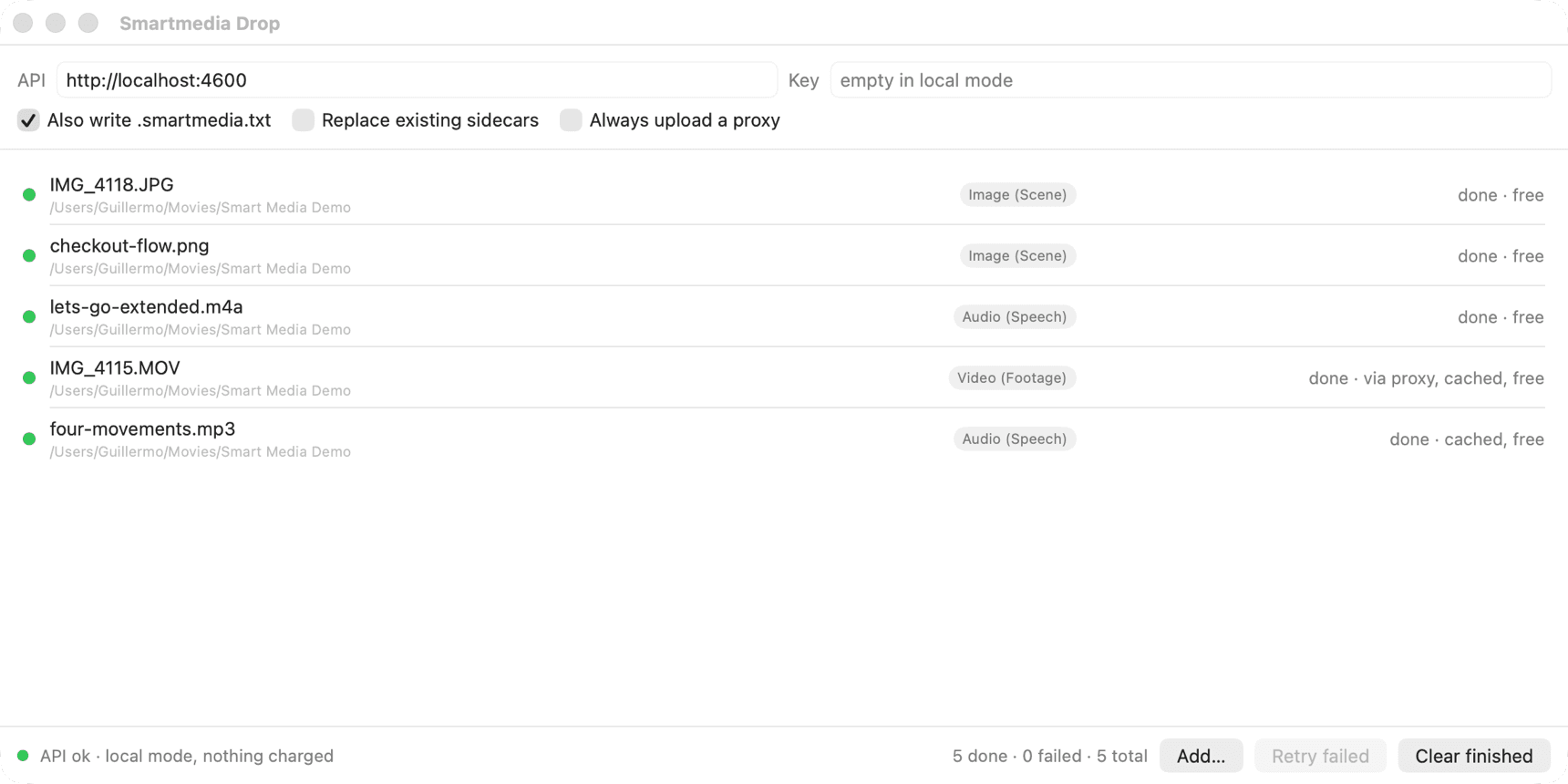
Each row shows where the file is: making a proxy, describing the original, uploading, analysing, done. Done says whether the result was cached, and cached is free.
What it does for you
Proxies for large videos
Anything over the API's limits, 300 MB or 1280 px on the long side, is re-encoded first into a fixed-recipe proxy: H.264, 1280 on the long side, 30 fps, 2.5 Mbps, mono audio. About 190 MB for the ten-minute maximum, so it always fits. The proxy is what goes up.
The sidecar still describes the original
The app reads the original's hashes, tracks, camera, recording date and GPS with AVFoundation and sends them with the request. The document names the original; nothing is read from the proxy's own metadata.
Files, folders, the Dock
Drop on the window, use Add…, open files with the app from Finder, or drop them on the Dock icon. Folders are walked. Files that already have a sidecar are skipped unless you say replace.
Local or hosted
Point it at api.smartmediaprotocol.com with your key, or at an API you run yourself. The footer says whether the API answers and whether it is in local mode.
Requirements
macOS 15 or later. An API key, or an API of your own on the same machine. Nothing is installed besides the app.
The packaged, signed build is on its way. Until then the app builds from the repository with one script; the page for that is in the source folder's README.